
The real trade-off
On-device AI vs cloud AI for journaling
Both work. The marketing on both sides is what needs a closer look.
See pricing and trial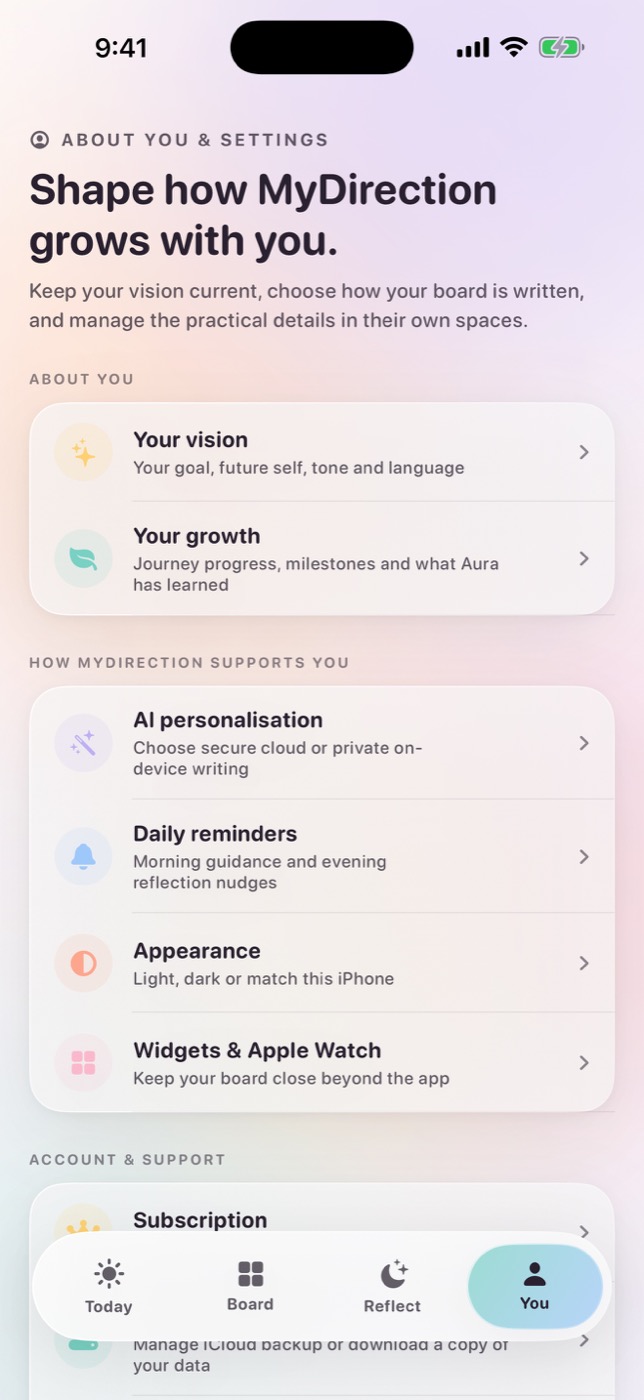
The short answer
Both work well. On-device AI keeps your text on the phone and runs offline, which suits it very well to a short daily practice. Cloud AI is available on any device and handles longer, more connected writing. Good cloud implementations send requests with training disabled and zero retention, so nothing you write trains a model.
What actually differs
Strip away the marketing and there is one difference, which is where the computation happens. Everything else follows from that, including several things people do not expect.
| On-device | Cloud | |
|---|---|---|
| Your text leaves the phone | No | Yes |
| Works with no connection | Yes | No |
| Model size | Small, constrained by phone memory | Large |
| Output variety over months | Narrower; repetition becomes noticeable | Wider |
| Connects patterns across many entries | Limited by context window and memory | Yes |
| Latency | Fast, no round trip | Depends on connection |
| Battery and thermal cost | Real, on longer generations | Negligible on device |
| Cost to the vendor | Near zero after the download | Per request, ongoing |
| Vendor can see your content | No | Depends entirely on their architecture and terms |
That last row is the one people misread in both directions. On-device genuinely means the vendor cannot see it. Cloud does not automatically mean they can, since it depends on retention settings, whether prompts are stored, and what the provider's terms permit. "Cloud" is not one privacy posture, it is a range.
What on-device does well, and where it runs out
On-device models are genuinely good at the shape of work a daily practice needs. Short prompts, a focus line, a reflection question, a step suggestion sized to your history. All of that runs comfortably on modern hardware, instantly, with no connection required. For a one-minute practice it is close to ideal, and anyone telling you local models are a compromised experience has not used a recent one. Where they run out is at scale rather than at quality.
- Variety over months. Smaller models have less range, so sentence shapes start repeating somewhere around week three. It is a slow effect rather than a bad one.
- Synthesis across many entries. Noticing that the obstacle you named in June is the one from March in different clothes needs the model to hold a lot of your writing at once, which a phone's memory budget makes harder.
- Device support. This is the real limit. On-device generation needs recent hardware and a supported language, and not everyone has either. A practice that only works on the newest phone is not much of a practice.
What does not change at all is the structure. Prompts, step suggestions, ratings and the daily loop are identical either way. So if the app is well designed, on-device is a complete experience rather than a reduced one.
What a good cloud implementation looks like
Cloud generation is the option that works on every device, and a well-built one is a genuinely strong choice rather than a fallback. Larger models write with more range and hold more of your history in view, which is exactly where local models run out. The variable is not cloud versus local, it is how carefully the cloud path has been built. These are the questions that separate a considered implementation from a careless one.
- What is in the request? The whole journal, or the specific entries relevant to this generation? Sending everything is easier to build and much worse for you.
- Is the prompt stored? By the app vendor, and separately by the model provider. These are two different retention policies.
- Is training disabled? Provider defaults vary and can change. It has to be explicitly requested and accepted at the API level.
- How many parties are involved? Many apps route through an aggregation layer to a model provider. That is normal; you should still be able to find out that it happens.
- Is it tied to an identity? A request carrying a stable user id is a very different object from an anonymised one.
- What is logged for abuse prevention? Often the real answer to "is it retained", and rarely mentioned.
An app that sends only the entries a request needs, retains nothing, disables training and does not attach a stable identity to the request is in a genuinely good position. Your writing is used to answer your request and then it is gone, and no model is trained on it. That is a reasonable thing to trust with a journaling practice. An app that ships your entire journal with a persistent user id attached is a different proposition, and both would describe themselves as secure, which is why the questions above are worth asking.
The hybrid approach, and why it is usually right
The framing as a binary is mostly a marketing artefact. The useful architecture is a choice the user makes, with a real implementation behind both options.
That means on-device generation wherever the platform supports it, a template fallback so the practice never breaks, cloud generation described in plain language, and the ability to switch at any time without losing history or retroactively uploading anything. Neither route should be presented as the safe one and the other as the compromise. They are two good implementations of the same practice, and which one you land on has more to do with your hardware and your habits than with the subject of your writing.
It also means the choice should not be tied to price. If the private option is on a cheaper tier, privacy has become a feature you buy. If it is on the expensive tier, privacy has become a luxury. Neither is a good look, and both are common.
How to choose between them
Most advice on this splits by subject matter, telling you to keep the difficult material local. We do not think that framing holds up. A cloud request sent with training disabled and zero retention is answered and then discarded, and nothing you wrote is used to train anything, so the sensitivity of the topic is not really what is at stake. What actually differs is practical, and these are the questions worth asking yourself.
| Ask yourself | Points toward on-device | Points toward cloud |
|---|---|---|
| Does my phone support on-device generation? | Recent hardware, supported language | Older device, or a language the local model does not cover |
| Do I write somewhere without a signal? | Commute, flights, poor coverage | Almost always connected |
| Do I want the writing to draw on months of entries? | Recent entries are enough for me | I want the longer view and more range |
| Do I mind variety narrowing over time? | Repetition does not bother me | I would rather the language kept moving |
| Do I simply prefer nothing leaving the device? | That preference is reason enough on its own | I am comfortable with a zero-retention, no-training request |
Notice that none of those questions are about the topic. Write about your business, your marriage, your diagnosis or your debt in either mode. The reason to switch is usually that your circumstances changed, you upgraded a phone, you started commuting through a tunnel, or you simply decided you wanted the other one, and switching should cost you nothing when that happens.
Four things people get wrong about this trade-off
- "On-device means the app has no servers"
- It usually still has them, for subscriptions, sync, crash reporting and analytics. On-device refers to where generation happens, not to whether the app talks to a network at all.
- "Cloud means the vendor reads my journal"
- It means they could, depending on architecture. An app that sends only the entries relevant to a request, retains nothing, and does not attach a stable identity is in a genuinely different position from one that ships your whole journal with a user id.
- "On-device is always slower"
- Usually the opposite for short generations. There is no network round trip. Local inference can be slower on long outputs and warm the phone up, which is a different complaint.
- "The private option is the premium one"
- It should not be on either tier. If privacy sits on the expensive plan it is a luxury, and if it sits on the cheap plan it is a downgrade. Tying it to price at all means it is being used as a lever.
- "Cloud generation trains on my journal"
- It can, on default terms, which is why it is worth asking. It does not have to. Training can be disabled and retention set to zero at the API level, and an app that has done that is not feeding your reflections into anyone's model.
Where this is heading
On-device models are improving quickly, and Apple's platform-level model has made a genuinely capable local option available to every app on recent hardware without each developer shipping their own. The quality gap will narrow.
It will not close. Whatever runs on a phone is competing against something running on hardware with orders of magnitude more memory, and the frontier moves for both. What changes is the threshold, the point at which on-device is good enough for a given task keeps arriving earlier, and for structured tasks like daily prompts it has largely arrived already.
The practical implication is to prefer apps where the choice is architectural rather than promotional. An app built with both paths implemented will follow the improving local models. An app that bolted on a local mode for marketing will not.
Common questions
Is on-device AI more private than cloud AI?
Yes, unambiguously, because your text does not leave the device. Whether that difference matters depends on the sensitivity of what you write and on the specific cloud architecture you are comparing it to.
Is on-device AI worse?
For journaling, it is more repetitive over months and worse at connecting patterns across many entries. The structure of a practice (prompts, steps, ratings) is unaffected.
Does on-device AI drain the battery?
Local inference has a real energy cost, noticeable on longer generations. For short daily prompts it is minor, and there is no network round trip to offset.
Can an app use both?
Yes, and the best implementations do, using on-device where supported, a template fallback so nothing breaks offline, and cloud generation as an explicit opt-in you can reverse.
How can I verify an app's on-device claim?
Airplane Mode. Complete the full daily loop with no connection. If it works, the local path exists; if you get an error, it does not.
Which does MyDirection use?
Both, as an explicit choice. Private writing uses Apple's on-device model where supported with a template fallback; secure personalization sends the text needed for the request under training-disabled, zero-retention terms. See our privacy page.
Sources and further reading
For iPhone and Apple Watch
Keep your vision close.
Become it daily.
MyDirection is a paid subscription with a 3-day free trial. Cancel any time before the trial ends and you are not charged.
See pricing and trial