
Choosing an app
Free vision board apps for iPhone
Free to build, paid to keep. This page is about where the bill actually arrives.
See what MyDirection costs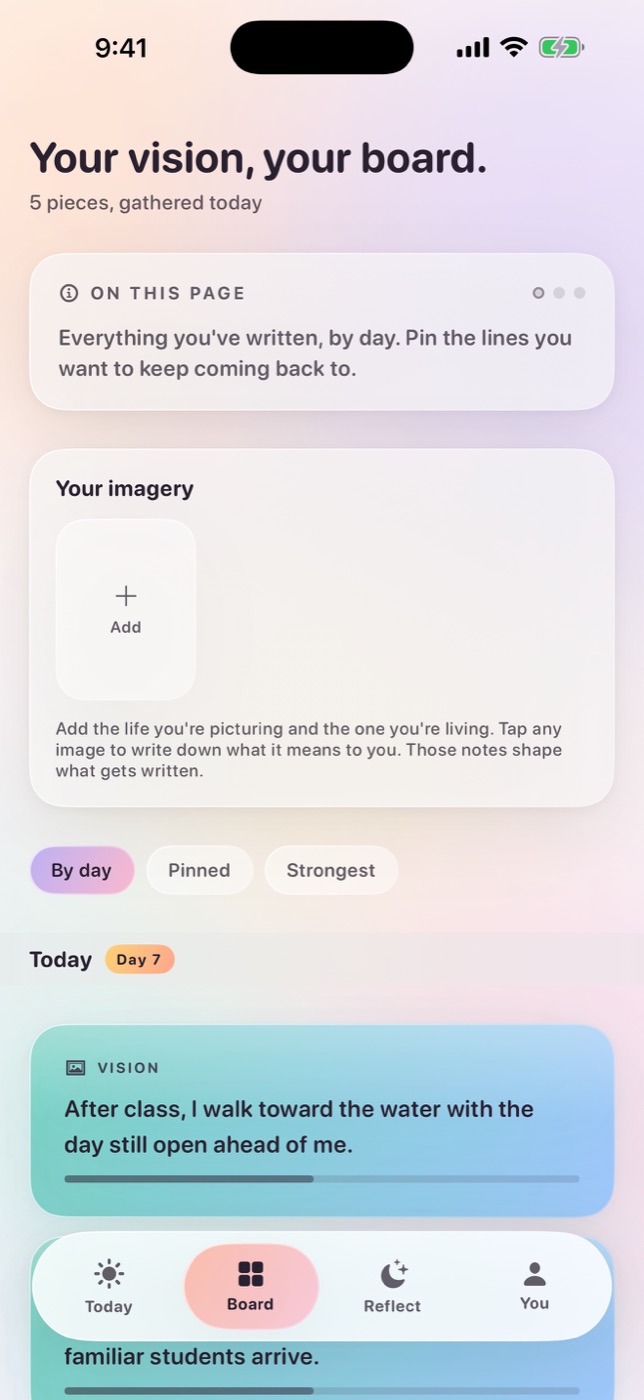
The short answer
Almost every vision board app on the App Store is free to download and not free to use for a year. The cost appears at one of four moments: when you export the board or set it as a wallpaper, when you create a second board, when a trial converts, or continuously, in the form of advertising and data collection funding the free version. Work out which of the four you can live with before you spend an evening building a board inside an app.
Why “is it free?” is the wrong first question
Disclosure. This page is published by MyDirection, which makes one of the apps discussed. Our review method and conflict policy explains how we handle that.
MyDirection has no free tier, so we have an obvious interest in how this question gets framed. Read the rest with that in mind, and note that everything below is checkable by you in about twenty minutes without taking our word for anything.
“Free vision board app” is one of the most searched phrasings in this category and one of the least useful, because on the App Store it describes the download rather than the product. Free to install is the default state of nearly every consumer app. It tells you almost nothing about what the thing costs you.
The better question is when does this app start charging, and for what. That has a small number of possible answers, and once you can name them you can identify which one you are looking at within a few minutes of installing anything.
This matters more here than in most categories because of the switching cost. A vision board is not a document you can move. It is your photographs, your wording, and often several months of private reflection. By the time the paywall shows up you have usually invested the exact thing that makes leaving expensive, which is why so many apps put it there.
The four places a vision board app starts charging
Nearly everything in the category uses one of these four models, sometimes two of them stacked. None is dishonest by itself. They just fail different people.
- 1. The export wall
- The board is genuinely free to build and free to look at inside the app. Getting it out costs money: saving the image at full resolution, setting it as a Lock Screen or Home Screen wallpaper, printing it, or adding a widget. This is the most common pattern in collage-style apps, and the most annoying, because the paywall lands at the exact moment the work is finished.
- 2. The second-board wall
- One board free, forever. A second one, or a second category, or archiving last year's board, requires a subscription. This model is fine if you keep exactly one board, and most people do for the first few months. It gets expensive at the point where your goals split into work and personal, which is usually when the practice is starting to work.
- 3. The full-access trial
- Nothing is walled at any point. You get the complete app for three, seven or fourteen days, and then it bills at a price Apple requires to be shown before you agree to it. This is the most legible of the four models, and the only one where you evaluate the real product rather than a demonstration of it: nothing is held back to create an upgrade prompt, and the total cost is a number you saw before you started. What it asks of you is a decision on a known date rather than a drift into one.
- 4. The advertising and data model
- The app stays free indefinitely and is funded by advertising, affiliate placements, or the value of the behavioural data it collects. In most categories that is an ordinary trade. In this one it is worth thinking about, because the content is a list of the things you most want and are most insecure about, which is unusually good targeting material.
The fourth pattern is the one worth slowing down on. A vision board plus a reflection habit is, structurally, a file of your ambitions, your dissatisfactions and your private notes about both. If a product is free and shows advertising, that file is adjacent to the ad targeting whether or not the app currently uses it that way. Our privacy checklist is the version of this argument with the specific questions to ask.
How the four models compare
| Model | Free to use | Where the cost lands | Typical yearly cost | Suits |
|---|---|---|---|---|
| Export wall | Building and viewing the board | At the finish line: wallpaper, widget, full-resolution save | $20 to $60 | People who only want the board on screen inside the app |
| Second-board wall | One board, indefinitely | At board two, at categories, at archiving last year | $30 to $70 | Single-goal users who will not need a second board |
| Full-access trial | The complete app, for the trial period | On a date you know, at a price shown upfront | $40 to $100 | People who want to judge the real product, not a demo |
| Advertising and data | The whole app, indefinitely | Continuously, in attention and in how your content is used | $0 in money | People comfortable with the trade, on non-sensitive goals |
We have deliberately not put named apps in that table. Under our review method we do not publish per-app pricing we have not verified with a named tester on a stated version, and competitor pricing in this category changes often enough that a stale table is worse than no table. When those tests are done, the named version of this table will replace this one and carry the date each price was checked.
A twenty-minute test to run before an app has your goals in it
Run this on any candidate before you build anything real in it. It is faster than reading reviews and it answers the questions reviews usually skip.
- Find the paywall before you find the features. Open the app and deliberately try to export, add a second board, and set a widget. Whatever stops you first is the business model. This takes about three minutes and tells you more than the App Store description.
- Read the subscription sheet, not the marketing screen. Note the trial length, the price after it, and whether the default selected plan is the weekly one. Weekly billing presented as a small number is the most common way an expensive subscription looks cheap.
- Diarise the decision, not the cancellation. An Apple trial has to be cancelled at least 24 hours before it renews, so the decision date sits a day before the end date. Worth knowing: cancelling straight after you subscribe does not cut your access short, you keep the complete app until the trial period runs out. That means you can start any trial without carrying the risk of forgetting one.
- Run the Airplane Mode test. Turn off the network and use the app normally. What breaks tells you what is being sent somewhere. An app that cannot show you your own board offline is holding it on a server.
- Find the delete-everything control. Before you write anything private, confirm you can remove it all from inside the app. If deletion requires emailing support, treat that as the real privacy policy.
- Check what happens to board number one. If you cancel, does the existing board stay visible, become read-only, or disappear? This is rarely documented and is usually discoverable by asking support before you subscribe.
Two of those six steps are worth doing even if you never intend to pay. The Airplane Mode test and the deletion control are the two questions that a free app's price tag does not answer.
A free app is the right call if
- You want a collage and nothing else. Building and looking at a board is the part most freely available, and it is genuinely enough for some people.
- You are testing whether this practice suits you at all. Do not pay to find that out; there is no reason to.
- Your goals are not sensitive. A board about a holiday and a fitness target is a different privacy question from one about leaving a job, a diagnosis, or a relationship.
- You already have a daily habit that works, and you only need somewhere to put the imagery.
- You are building one board for one year and will not need a second.
If most of that describes you, stop reading comparison pages and install the most-reviewed free collage app you can find. The differences between them are much smaller than the difference between having a board and not having one.
A free app will cost you if
- You have already abandoned a vision board. The thing that failed was not the collage. It was everything that was supposed to happen after it, and that part is almost never in the free tier.
- You want the board on your Lock Screen, in a widget, or on your wrist. Device surfaces are the single most commonly walled feature in the category.
- You write reflections rather than only choosing images. That content is the most sensitive thing in the app and the least suited to an advertising-funded product.
- You need more than one board. Work and personal goals separate faster than most people expect.
- You would be irritated by advertising interrupting a one-minute daily practice. Interruption is more costly in a practice than in a game.
The first item is the one that decides this for most people. If your last board went quiet by February, another free collage is not the intervention. The gap is between the board and today's decisions, and that gap is where the paid products in this category actually live. Vision board to action is the free version of that argument, and you can run it on paper.
What you are actually buying when you pay
It is worth being specific, because “premium” in an App Store listing usually means an unlocked export button and little else.
Sometimes you are buying the export button, and that is all. In collage-first apps the paid tier removes the wall and changes nothing about the product. That is a fair trade at $20 a year and a poor one at $80, and it is worth checking which you are being offered.
Sometimes you are buying a business model that does not want your data. A subscription is the only funding model in this category that has no structural reason to collect more than it needs. That is not a guarantee of good behaviour, and you should still read the policy, but it changes what the incentives point at.
Occasionally you are buying the part that comes after the board. Daily prompting, adaptation, reflection, an accumulating record. This is the part that determines whether a board is still alive in month four, and it is the part that is almost never free, because it costs the developer something to run every day rather than once.
The failure mode to avoid is paying for the first thing while believing you are buying the third. The twenty-minute test above separates them.
What usually happens around day forty
The pattern is consistent enough to plan around. The first week of a new vision board is easy, because building it is the enjoyable part and it is new. Weeks two and three hold, mostly on novelty. Somewhere between day thirty and day fifty the board becomes furniture: still there, no longer looked at, and no longer connected to anything you are deciding.
Free apps are not worse than paid apps at this. The distinction that matters is not price, it is whether anything in the product asks something of you daily and changes in response. A static collage has nothing to change. That is not a flaw in free software; it is what a collage is.
So the useful way to spend money in this category, if you spend any, is on the day-forty problem rather than on the board itself. And the useful way to spend nothing is to solve day forty yourself, on paper, with a weekly review and a written next action. Our board plan sheet is that, printable, at no cost and with no account.
Where MyDirection sits, plainly
MyDirection is not free and has no free tier. It is $7.99 per week or $59.99 per year on the US App Store, and the annual plan opens with a 3-day free trial of the complete app.
By the framing above, that is the third pattern, the full-access trial, and we chose it deliberately. Nothing is held back during the trial and there is no upgrade prompt anywhere in the product, because there is no tier to upgrade to. Three days is short on purpose: long enough to find out whether a one-minute daily practice actually survives contact with your day, short enough that you are deciding while you still remember what you were testing.
If holding a date in your head is the part you dislike, you do not have to. Cancel on the day you subscribe and the trial still runs its full length, with the complete app, and simply does not renew. That is Apple's mechanism rather than ours, it applies to every subscription on the App Store, and it means there is no version of trying MyDirection properly that costs you money by accident.
What that buys is the third item from the list above rather than the first. There is no export wall to remove, because the product is not a collage builder. It is a board that changes in response to what you do, attached to a one-minute daily practice, with an explicit choice about where your writing is processed. If you want a free collage tool, MyDirection is a bad purchase and one of the free apps will serve you better. We would rather say that here than have you find out in month two.
Common questions
Is there a genuinely free vision board app for iPhone?
Yes, several, if what you want is to build and view a collage. What is rarely free is getting the board onto your Lock Screen or a widget, keeping more than one board, or anything that runs daily. Establish which of those you need before you compare apps.
Is the Photos app good enough for a vision board?
For a static board, close to it. An album, a favourited image, and a Lock Screen wallpaper covers the visibility problem at no cost. What it will not do is prompt you daily or record what you did, which is the part that fails first.
Why do free vision board apps charge for the wallpaper?
Because it is the moment of highest intent. You have finished building, you want the result, and the paywall is placed exactly there. It is effective pricing rather than a technical limitation.
Are advertising-funded manifestation apps a privacy problem?
It depends on what you put in them. A board of holiday photographs is low risk. Written reflections about money, health, work or relationships are a detailed record of what you want and what you are worried about, and that is unusually valuable targeting material. Ask the questions in our privacy checklist before you write anything sensitive.
Can I try an app fully without risking a charge?
Yes, and it is worth knowing how. An Apple subscription must be cancelled at least 24 hours before it renews, and cancelling does not end your access early: you keep the complete app until the trial period runs out. So you can subscribe, cancel the same day, use the whole trial, and resubscribe at the end if it earned it. Evaluating properly never has to cost you money by accident.
Does MyDirection have a free version?
No. The annual plan opens with a 3-day free trial of the complete app. Pricing is $7.99 per week or $59.99 per year on the US App Store. There is no advertising and no free tier.
What happens to my board if I cancel a subscription?
That varies by app and is rarely documented, so ask support before subscribing. It is one of the few questions in this category where the answer is genuinely unpredictable and genuinely matters.
Is a paid vision board app worth it?
Only if you are buying the part that runs after the board is built. Paying to unlock an export button is usually poor value. Paying for daily prompting, adaptation and a record of what you actually did addresses the reason most boards stop working, which is the only failure worth spending money on.
Sources and further reading
For iPhone and Apple Watch
Keep your vision close.
Become it daily.
$7.99 per week, or $59.99 per year with a 3-day free trial.
See pricing and trial